Violoop V1.0: Features, AI Capabilities, Price and Everything You Need to Know
Artificial intelligence is moving beyond chatbots and software applications into dedicated hardware designed to help people complete everyday tasks. One example is Violoop V1.0, a compact AI device built to interact with a computer and automate workflows across different applications.
Instead of requiring users to copy information into a chatbot and manually complete the remaining steps, Violoop aims to let an AI agent work directly with the software already installed on a computer. It can interpret screen content, navigate applications, enter information, manage files and perform sequences of actions, with approval required for consequential operations.
The device combines local AI processing, screen capture, keyboard and mouse control, and a physical confirmation button. Its approach raises an interesting question: could dedicated AI hardware make computer automation easier, more private and more accessible?
Here is everything you need to know about Violoop V1.0, including its features, AI capabilities, compatibility, price and potential limitations.
What Is Violoop V1.0?
Violoop V1.0 is a plug-in AI hardware device designed to help automate tasks on an existing computer. It connects to a computer’s video output and USB connection, allowing it to interpret the screen and interact with applications through familiar input methods.
The main idea is to make AI useful beyond answering questions or generating text. Rather than simply telling users how to complete a task, Violoop is designed to help carry it out.
For example, a user might ask an AI assistant to organize information from several applications, fill in repetitive form fields, sort files into folders or draft messages based on information displayed on the screen. Violoop is intended to handle these types of multi-step workflows, subject to the capabilities of its software and AI models.
One of its defining characteristics is that it does not depend entirely on individual applications providing dedicated AI integrations. Because it can work through screen content and standard computer input, it is designed to interact with a broad range of desktop and web applications, including some older programs.
However, broad compatibility does not mean every workflow will work perfectly. Results depend on the task, the software environment and the AI model being used.
How Does Violoop Work?
Violoop uses a combination of hardware and software to understand what is happening on a computer and take action.
First, the device receives a view of the computer screen through a supported video connection. It processes that visual information to understand the current interface and identify relevant controls or content.
Next, the AI interprets the user’s instructions and determines the steps needed to complete the task. Depending on the application and workflow, it can interact through keyboard and mouse input or use supported system interfaces and direct actions through its companion software.
Finally, the device performs the requested steps and pauses for approval when an action has significant consequences, such as submitting information, sending something, deleting files or completing a payment-related action.
This approach is intended to reduce the amount of repetitive work users must perform manually.
Violoop is not simply a chatbot displayed on another screen. Its purpose is to connect AI reasoning with actual computer interaction.
Violoop V1.0 Key Features
1. AI-Powered Computer AutomationThe central feature of Violoop is its ability to help perform tasks inside existing computer applications.
Potential use cases include entering information into forms, transferring data between applications, organizing files, preparing drafts and processing repetitive lists. These tasks can involve several steps and multiple windows, making them suitable targets for automation.
The device is particularly aimed at workflows that follow consistent rules. More complicated tasks that require nuanced judgment, unfamiliar interfaces or extensive reasoning may be less reliable.
2. On-Device AI Processing

Violoop is designed to perform important AI operations locally on its own hardware.
According to the manufacturer, the device includes an eight-billion-parameter-class language model alongside dedicated models for understanding screen content. Local processing can support features such as screen interpretation, contextual assistance and short tasks without requiring every interaction to be sent to a cloud AI service.
The manufacturer also specifies a total of 26 TOPS of AI computing performance across the main processor and a dedicated AI accelerator.
TOPS measures theoretical AI computing throughput. It does not, by itself, tell users how quickly or accurately a device will complete a particular task.
For more demanding workflows, users can connect the device to larger AI models through supported services or their own model setup.
3. Support for Multiple Operating Systems

Violoop is designed for Windows, macOS and Linux.
This broad operating system support could make the device useful to people who work with different desktop environments. Its screen-based approach is also intended to reduce dependence on individual application integrations.
Nevertheless, some functions can vary by operating system, and users may need to grant accessibility permissions or install the required companion application. Computers managed by an employer may also restrict USB devices or additional software.
4. HDMI and USB Connectivity
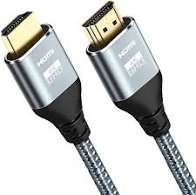
Violoop uses a video connection to receive the computer’s screen and a USB connection to interact with the computer.
The manufacturer lists HDMI 2.0 and USB-C video input among its connectivity features. A compatible USB-C port must support video output for this setup to work.
The device is designed to appear to the computer as a standard keyboard and mouse for supported control tasks. The companion application also enables certain direct actions involving files, scripts and system accessibility interfaces.
This hardware-level approach is intended to let Violoop interact with applications without requiring a separate custom integration for every program.
5. Physical Confirmation botton
AI automation can be convenient, but giving software the ability to operate a computer also creates risks.
Violoop includes a physical confirmation button designed to provide an additional approval step before consequential actions are completed. The manufacturer says this approval mechanism uses a dedicated security chip separate from the main processor running the AI.
The intention is to separate the AI’s ability to prepare an action from the authorization required to commit it.
This is a useful design consideration, but it should not be interpreted as proof that the entire system is risk-free. The manufacturer says some security documentation and formal security features are still planned, and independent verification remains important.
6. Support for Different AI Models
Violoop is designed to work with its local AI models and selected external AI services.
The manufacturer says users can bring their own API key for supported cloud providers, including Claude, OpenAI and Gemini. It also supports a local-model approach, with Ollama supported and additional compatibility options described in the manufacturer’s documentation.
This flexibility may appeal to users who want to choose their preferred AI provider instead of being tied to a single service.
Cloud-based options can provide access to more capable models, but they may involve additional usage costs and send some task context to an external provider. Users should understand the privacy implications of their chosen configuration before connecting sensitive accounts or documents.
7. Cross-Application Workflows
Many repetitive computer tasks involve moving between several programs rather than working in one application.
Violoop is designed to help with these cross-application workflows. A task might involve collecting information from one window, organizing it, entering it into another program and preparing a summary.
The ability to work across applications is one of the product’s main selling points. However, the reliability of any workflow depends on how consistently the software presents information and how well the AI interprets the instructions.
Users should review automated results, particularly when working with financial records, business data or important documents.
Violoop V1.0 Specifications
Based on information published by the manufacturer, the main announced specifications include:
Product name:
Violoop V1.0
Product type: External AI hardware for computer automation
AI computing performance: Up to 26 TOPS, as specified by the manufacturer
Local language model: Eight-billion-parameter class
Main processor: RK3576 octa-core processor, according to the manufacturer
Connectivity: HDMI 2.0, USB and compatible USB-C video input
Operating systems: Windows, macOS and Linux
AI options: Local models and supported external AI services
Control method: Screen interpretation, keyboard and mouse interaction, and supported direct computer actions
Security feature: Physical confirmation button with a separate security chip, according to the manufacturer
Subscription: No mandatory subscription for basic ownership and use, according to the manufacturer; cloud services and external AI providers may involve separate costs
Availability: Kickstarter crowdfunding campaign
These are announced specifications and features, not a substitute for independent testing of a retail production unit.
How Much Does Violoop V1.0 Cost?
The manufacturer’s Kickstarter FAQ lists an early-bird price of $399, with a planned retail price of $699. The availability of the early-bird price depends on the campaign’s reward tiers and remaining quantities.
These figures should not be treated as a guaranteed final retail price. Crowdfunding prices, reward availability and future retail pricing can change.
There are also potential costs beyond the initial hardware purchase. Using a personal API key may incur charges from the selected AI provider, while the manufacturer’s optional cloud service may have separate pricing. The company says a subscription is not required for local use.
Before backing the campaign, buyers should review the current reward details, shipping terms, certification status and any additional charges applicable to their location.
When Will Violoop V1.0 Ship?
Violoop is being funded through Kickstarter rather than sold as an established retail product.
As of October 2026, the manufacturer’s shipping information describes November 2026 as the estimated start of shipping for its initial wave of supported markets. Other regions may follow later, depending on required certifications and regulatory approvals.
These are estimates rather than guaranteed delivery dates. Manufacturing, quality control, certification, customs and logistics can all affect the schedule.
Anyone considering a pledge should check the latest official Kickstarter updates and shipping policy before committing money.
Is Violoop V1.0 Good for Privacy?
Privacy is one of the important questions surrounding any AI device that can inspect a computer screen and interact with applications.
Violoop’s local-first design is intended to keep screen understanding and supported local tasks on the device. The manufacturer says task history and workflow memory are stored locally in encrypted form.
However, the privacy implications depend on how the device is configured.
If a user connects a cloud AI provider through an API key, the context needed for a particular request may be sent to that provider. The manufacturer also describes server communication for account activation, software updates, remote approvals and certain diagnostic functions.
Users who handle confidential business documents, customer information or sensitive personal data should read the current privacy policy and understand which processing mode they are using.
Local processing can reduce the amount of information sent to external services, but it does not automatically eliminate every privacy or security risk.
Potential Advantages of Violoop V1.0
Violoop has several potentially useful advantages.
It is designed to automate repetitive work across multiple applications rather than being limited to a single AI chatbot.
Its local-processing approach may help users keep certain tasks and screen information on their own hardware.
Its planned support for Windows, macOS and Linux gives it a broader potential audience than a device tied to one operating system.
The ability to work with existing applications could also help people who rely on older software that lacks modern AI integrations.
Finally, its physical confirmation mechanism reflects an important principle for computer automation: sensitive actions should not always be completed without user oversight.
Potential Limitations of Violoop V1.0
Despite its ambitious concept, Violoop has limitations that potential buyers should consider.
First, the device relies on AI interpretation. It may misunderstand instructions, misread interface elements or perform an unintended step. Human review remains important.
Second, advanced workflows may depend on external models, which can introduce additional costs and privacy considerations.
Third, the device requires a compatible connection setup and companion software. Compatibility with an operating system does not guarantee that every application or workflow will work equally well.
Fourth, using a computer while an automated task is running may interfere with the workflow. The manufacturer advises treating the computer as shared while certain tasks are in progress.
Finally, Violoop is a crowdfunded hardware project. Certification, shipping and final product performance should be assessed using the latest project updates rather than assumed from announced specifications.
Who Should Consider Violoop V1.0?
Violoop may be worth watching for people who regularly perform repetitive tasks on a computer.
Potential users include office workers who manage forms and records, professionals who move information between applications, small business owners handling routine administrative work, and technically confident users interested in AI agents.
It may also interest people who want to experiment with local AI processing or automate workflows in applications that do not offer dedicated integrations.
However, it may not be the best fit for someone who only needs a chatbot for writing, research or occasional questions. A software-based AI assistant could be simpler and less expensive for those needs.
Businesses handling sensitive information should evaluate security, privacy, compliance and reliability before using any AI automation device in production workflows.
Violoop V1.0 vs Traditional AI Assistants
Traditional AI assistants mainly respond to prompts, generate content and answer questions. Users often need to copy the output into another application and perform the remaining steps themselves.
Violoop is designed to take the next step by interacting with a computer directly. Its goal is to help execute a workflow instead of only explaining how to do it.
That difference could make it useful for repetitive, multi-step tasks. But direct computer control also introduces risks that ordinary text generation may not create, including unintended file changes, incorrect form submissions and disruption to an active workflow.
The most useful approach is to view Violoop as a developing automation tool rather than a replacement for human judgment or supervision.
Final Verdict: Is Violoop V1.0 Worth Watching?
Violoop V1.0 represents an interesting direction for AI hardware: a dedicated device designed to connect AI reasoning with practical computer interaction.
Its combination of local AI processing, cross-application automation, broad operating system support and a physical approval mechanism gives it a distinct position in the developing AI agent hardware market.
The main question is not simply how powerful its processor is, but how reliably it can complete real tasks, how well its security controls work and how smoothly it fits into everyday computer use.
Because Violoop is being offered through crowdfunding, buyers should also consider delivery uncertainty, certification requirements and the difference between advertised capabilities and independently verified performance.
For now, Violoop V1.0 is a product worth following, particularly for people interested in AI-powered computer automation. Its long-term value will depend on real-world reliability, transparent security practices and the quality of its software as the product moves toward wider availability.
Frequently Asked Questions
What is Violoop V1.0?
Violoop V1.0 is an external AI hardware device designed to interpret a computer screen and help automate tasks across desktop and web applications.
Does Violoop work with Windows and Mac?
The manufacturer lists Windows, macOS and Linux as supported operating systems. Some features may vary depending on the system and application.
How much does Violoop V1.0 cost?
The manufacturer’s Kickstarter FAQ lists an early-bird price of $399 and a planned retail price of $699. Campaign pricing and availability may change.
Does Violoop require a monthly subscription?
The manufacturer says no mandatory subscription is required for basic use. Cloud AI services and external model providers may involve separate costs.
Does Violoop send screen data to the cloud?
The manufacturer says screen understanding can run locally. If users choose cloud AI services, some task context may be sent to the selected provider. Privacy depends on the configuration and services used.
Can Violoop automate every computer task?
No. Its capabilities depend on the application, task complexity and AI model. It can make mistakes, so important actions and results should be reviewed.
Is Violoop V1.0 available in stores?
As of October 2026, Violoop is being offered through a Kickstarter campaign. Its announced shipping schedule is an estimate and may change.
Is Violoop V1.0 worth buying?
It may interest users who want to automate repetitive computer workflows, but potential backers should review the current campaign terms, delivery estimates, privacy policy and independent product coverage before making a decision.